AI product photography is moving from novelty to workflow.
That does not mean every brand should generate glossy new scenes for every SKU overnight.
The real opportunity is narrower and more useful: background cleanup, image consistency, marketplace specs, batch editing, campaign variants, simple lifestyle scenes, and product-video experiments.
The risk is also straightforward.
If a generated image changes the product, invents a feature, hides a flaw, distorts size, or creates a misleading usage scene, the output is not creative leverage. It is customer trust debt.
AI product photography needs approval gates.
In this brief
- Product photography is becoming an automated catalog operation.
- Human review should focus on product truth, not just whether the image looks good.
- Tool Radar: Photoroom as a scaled product-image workflow layer.
- Team action: create a visual QA checklist before generating at scale.
The signal
Visual AI tools are becoming more commerce-specific.
Photoroom’s API focuses on product-image operations such as background removal, image editing, lighting correction, repositioning, product beautification, quality analysis, image-to-video, flat lays, and virtual model workflows. Its documentation also notes that when product accuracy matters, generated images should be validated by a human.
Pebblely focuses on turning one product image into multiple marketing assets, including marketplace listing photos, website imagery, email banners, ad creatives, and bulk generation.
That is the category shift: product imagery is becoming programmable.
But programmable does not mean publishable.
Why this matters for commerce
Product images carry more risk than a generic campaign graphic.
A product photo tells the shopper what they are buying. It communicates size, material, color, finish, texture, packaging, included accessories, use case, and quality.
That is why AI image workflows need a different standard than mood-board generation.
The question is not “does it look premium?”
The question is:
- Is this still the actual product?
- Are the color and material accurate?
- Did the image imply an accessory or bundle that is not included?
- Is the scale misleading?
- Does the scene fit the product’s real use case?
- Does the channel allow this kind of image?
- Does the brand want this aesthetic repeated across the catalog?
The approval gate is where creative speed becomes operational trust.
Workflow lens
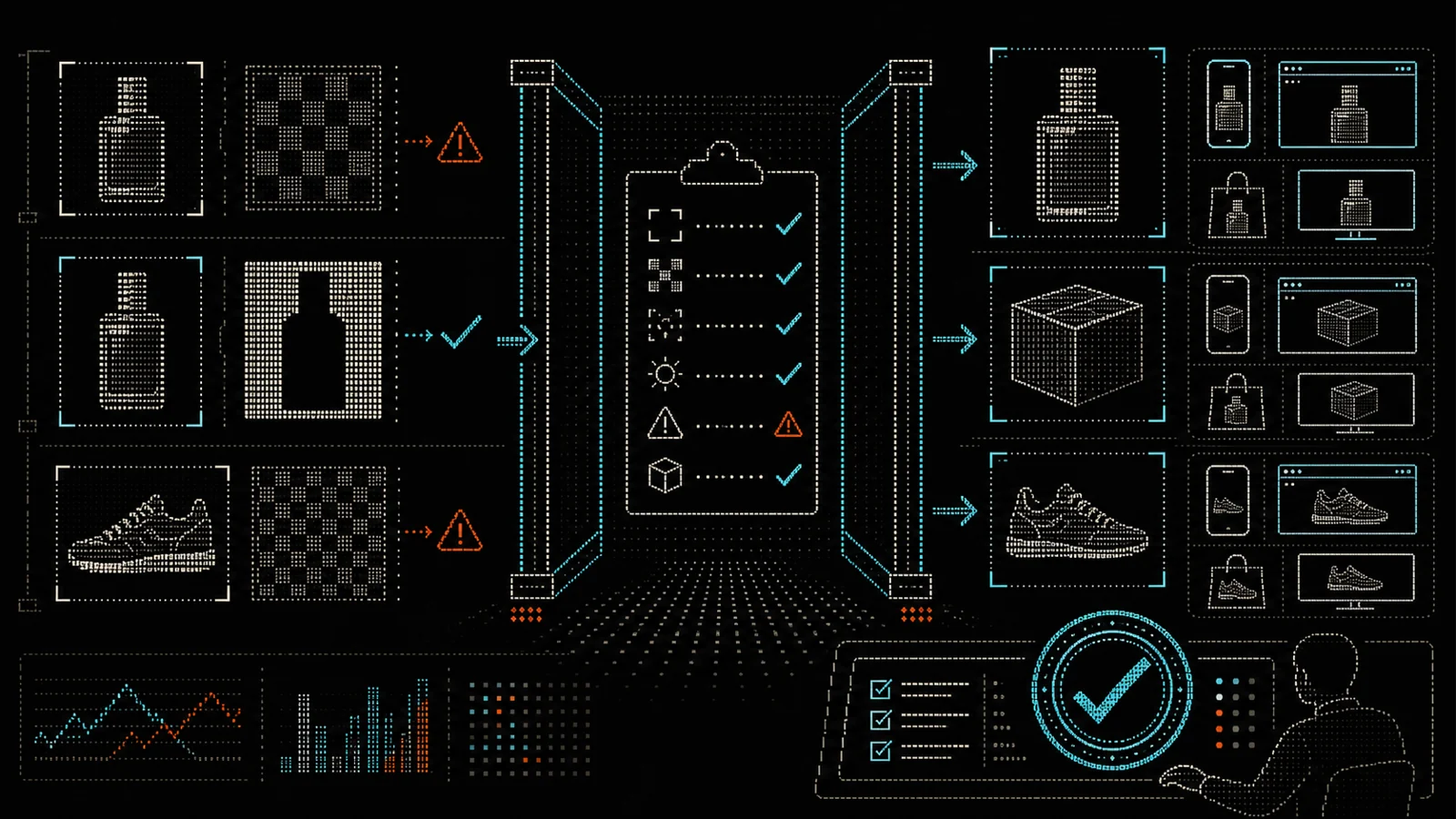
Input: raw product images, product-feed data, channel specs, brand rules, approved image examples, forbidden claims, and SKU-level notes.
Agent task: remove backgrounds, standardize crops, generate variants, flag image quality issues, produce channel-specific sizes, and suggest campaign scenes.
Human review: verify product accuracy, color, scale, included items, scene truthfulness, brand fit, and channel compliance.
Output: approved product images, ad variants, PDP visuals, marketplace assets, email banners, and visual QA notes.
The important part is the feedback loop. When an image fails review, write down why. That becomes a better prompt, a better rule, or a reason not to automate that SKU.
The approval gate should be boring
Creative teams often make review too subjective.
“Does this look good?”
That is not enough.
Use a checklist:
- Product identity: exact SKU, variant, color, shape, and material are preserved.
- Included items: no extra accessories, packaging, props, or bundle claims are implied.
- Scale: product size is not misleading.
- Use case: scene matches a realistic customer use.
- Channel: crop, background, text, and ratio fit the destination.
- Brand: lighting, shadow, palette, and style match approved examples.
- Risk: no health, performance, safety, or durability claim is implied visually.
This is not meant to slow the team down. It keeps review fast because everyone knows what matters.
Tool radar: Photoroom
Photoroom is worth watching because it is not only a one-off image generator. Its API points toward catalog-scale product-image operations: background removal, corrections, repositioning, QA, composition, image-to-video, and other repeatable workflows.
Best for: teams with repeat product image work across PDPs, marketplaces, ads, and catalog refreshes.
Watch if: your bottleneck is consistency, channel specs, or image operations across many SKUs.
Not for: teams that want fully automated publishing without human product-accuracy review.
Workflow fit: raw product image to channel-ready visual asset with QA.
Disclosure: editorial watchlist reference. Affiliate links will be marked if added later.
Team action
Before testing another image tool, write your visual QA gate.
Use this simple version:
- What can the AI change?
- What must never change?
- Which image types need human review?
- Which channels have strict specs?
- Which SKUs are too risky for generated lifestyle scenes?
- Who approves final product truth?
Then test on 10 SKUs, not the whole catalog.
Output: a small approved image workflow that can scale without making the catalog less trustworthy.
Resource CTA
Add a “visual approval notes” column to your top-SKU list, and run the AI Shelf Checklist to see which product details AI assistants can already read. If the product cannot be visually changed safely, document that before a tool touches it.
Source links
- Photoroom API: https://www.photoroom.com/api
- Photoroom API Documentation: https://docs.photoroom.com/
- Pebblely: https://pebblely.com/
- Shopify Magic Product Descriptions: https://help.shopify.com/en/manual/products/details/product-descriptions/shopify-magic